
Download HealthUp – Pedometer, Weight, Fitness Tracker, Blood Pressure Monitor, Blood Sugar Level Tracker
Overview
HealthUp is a free Android application developed by openit Inc. designed to support users in managing their daily health and fitness goals. The software functions as a comprehensive wellness tool, combining multiple health monitoring features into a single interface. It is intended for individuals seeking to improve their physical well-being through consistent tracking of key health metrics. The app is particularly suited for users focused on weight management, physical activity, and long-term health monitoring. HealthUp integrates core fitness tracking tools such as a step counter, pedometer, and activity tracker to help users monitor daily movement. It also includes specialized features like heart rate monitoring, blood pressure tracking, and blood sugar level logging. These capabilities allow users to gather data on vital health indicators, which can be useful for managing chronic conditions or supporting weight loss efforts. The app supports water intake tracking and calorie estimation, further enhancing its utility for holistic health management. Real-world usage scenarios include daily step logging for fitness goals, monitoring heart rate during workouts, and recording blood pressure and glucose levels for medical or wellness purposes. The app is ideal for individuals managing lifestyle-related health concerns or those aiming to adopt a more active, health-conscious routine. While the developer did not provide additional details about the app’s background or development philosophy, its feature set suggests a focus on accessibility and user-friendly health monitoring.Key Features & Capabilities
- Step Counter & Pedometer: Tracks daily steps automatically using the device’s sensors, helping users stay aware of their physical activity levels.
- Activity Tracker: Monitors movement patterns throughout the day, offering insights into active and sedentary periods.
- Weight Loss Assistant: Provides tools to support calorie tracking and activity-based weight management goals.
- Heart Rate Monitoring: Records heart rate data, with the ability to display trends through graphical visualizations.
- Blood Pressure Monitor: Allows users to log and track blood pressure readings over time.
- Blood Sugar Level Tracker: Enables manual input and storage of blood glucose measurements for personal health monitoring.
- Water Consumption Tracker: Helps users monitor daily fluid intake to support hydration goals.
- Calorie Estimator: Estimates calorie expenditure based on activity levels and user input.
User Interface, Workflow & Performance
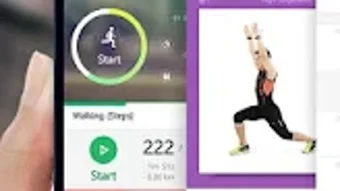
HealthUp features a clean, intuitive interface optimized for mobile use. The layout is structured around key health metrics, with quick-access widgets for steps, heart rate, and daily goals. Navigation is straightforward, relying on a bottom navigation bar that allows users to switch between core functions such as activity, health logs, and progress charts. The workflow is designed to minimize user effort—steps are tracked automatically in the background, and data entry for blood pressure and blood sugar levels is simplified through form-based inputs. Users can set daily targets for steps, water intake, and activity duration, which are visually represented through progress bars and color-coded indicators. The developer did not specify resource usage details. Performance observations are based on general software behavior patterns. The app is expected to run efficiently on modern Android devices, with minimal impact on battery life and memory usage. Stability during continuous background operation is likely, given the standard design of similar health tracking applications. However, exact performance data was not provided.Compatibility & System Requirements
HealthUp is compatible with Android operating systems, as stated in the provided information. The app has a file size of 12.5 MB, indicating a lightweight installation that should not strain device storage. The software version is 1.0, suggesting it is in its initial release phase. Exact system requirements were not listed. Compatibility information was partially provided. Users should ensure their Android device meets minimum requirements for running background sensor applications, especially those involving heart rate and step tracking. The app may require access to motion sensors, GPS, and health data permissions to function fully.Pros and Cons
Pros
- Free to download and use with no in-app purchase prompts.
- Comprehensive health tracking with multiple built-in tools.
- Intuitive interface designed for easy navigation on mobile devices.
- Supports both automatic tracking (steps, heart rate) and manual logging (blood pressure, glucose).
- Lightweight installation size (12.5 MB).
- Offers visual data representation through graphs and progress indicators.
Cons
- Version 1.0 may lack advanced features or refinements found in mature apps.
- Exact system requirements were not specified.
- Performance under prolonged background use was not documented.
- Dependent on device sensors; accuracy may vary across hardware.
- Manual data entry required for some health metrics, which may affect consistency.
FAQ Section
Is HealthUp available for iOS devices?
Based on the provided information, HealthUp is currently available only for Android devices.
Does HealthUp require internet access to function?
The app can perform basic tracking functions like step counting and heart rate monitoring without internet access. However, some features such as data syncing or advanced analytics may require connectivity.
Is HealthUp safe to use with personal health data?
HealthUp is designed to store user-entered health data locally. The developer did not specify data encryption or cloud storage practices. Users are advised to review the app’s privacy policy for details on data handling.
How often should I update HealthUp?
Updates are recommended to ensure access to the latest features and security patches. The app’s initial release version is 1.0, and future updates may improve functionality and stability.
Can I use HealthUp offline?
Yes, HealthUp supports offline usage for core features such as step tracking, heart rate monitoring, and manual logging of health metrics. Data will be stored locally until connectivity is restored.






.png)
